
ChatGPT prompts for your Space: posters, stickers and portraits
Most people don't know what to ask ChatGPT for. Full HD? A transparent background? How much text fits on a TV? Every Digital Space now has a prompt builder that already knows: you tap a few buttons, write one line about what you're promoting, and copy a ready prompt into ChatGPT.
Where to find it
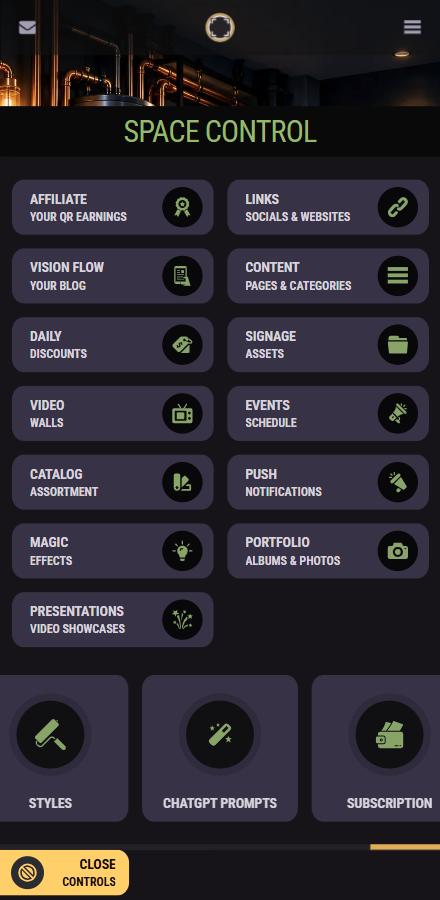
Open Space Control in your Space. In the bottom row, between Styles and Subscription, there's a button with a magic wand: ChatGPT Prompts. It's there in every Space.
The rest of the tools in Space Control depend on your subscription, so your panel may show fewer buttons than the one below. The same goes for where the pictures end up: posters go on a video wall and stickers into Daily Discounts when your build has them. See what each build includes.
How it works
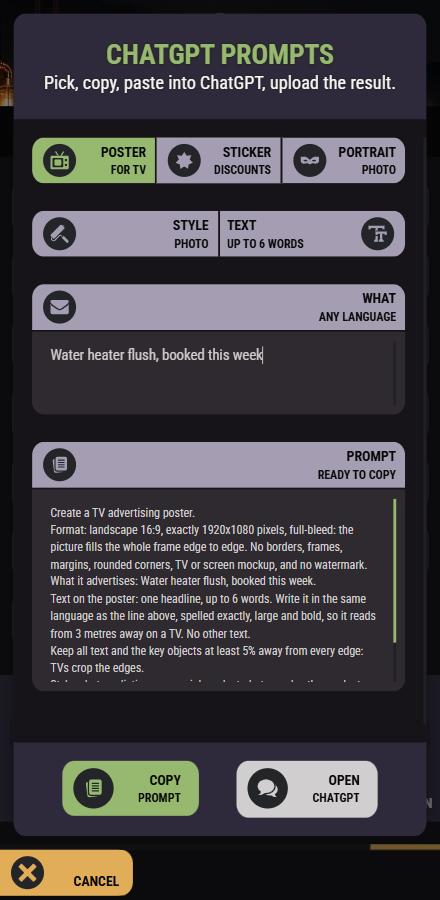
- Pick what you need: a poster for the TV, a sticker for your offers, or a portrait from your own photo.
- Tap the buttons for the look you want. Every tap changes the prompt on the spot.
- Write one line about what you're promoting, in any language.
- Tap Copy prompt, then Open ChatGPT, paste it in and get your picture.
- Upload the picture to your Space.
The builder only writes the text of the prompt. The picture is made in your own ChatGPT, and nothing you type in the builder is stored or sent anywhere.
Poster: for your TV and video walls
A poster has to work on a screen across the room, and that's where homemade pictures usually let you down: a square image with black bars at the sides, a headline too small to read, the last word cut off by the edge of the TV. The Poster prompt settles all of that before ChatGPT draws a single pixel.
- Size: landscape 16:9, exactly 1920x1080 (Full HD), filling the whole frame, with no borders, no TV mockup and no watermark.
- Text: one headline, large and bold, readable from 3 metres away. You choose up to 6, 9 or 12 words.
- Safe edges: text and the key objects stay at least 5% away from every edge, because TVs crop the edges.
- Colours: taken from the product and the offer itself.
There are three styles: Photo, for a product shot that looks real; Bold graphic; and Premium dark. Write the line in your own language, and the headline on the poster comes out in that language too.
Upload the poster to Signage Assets, the shelf for your pictures and clips, and pick it from there into the playlist of your video wall.
Sticker: for the offers on your Space
A sticker is the promo badge on the front of your Space, the one that flips through your offers. On Liquor Legends' Space it says "Featured Cognac on Sale", with the bottle breaking out over the edge of a gold seal.
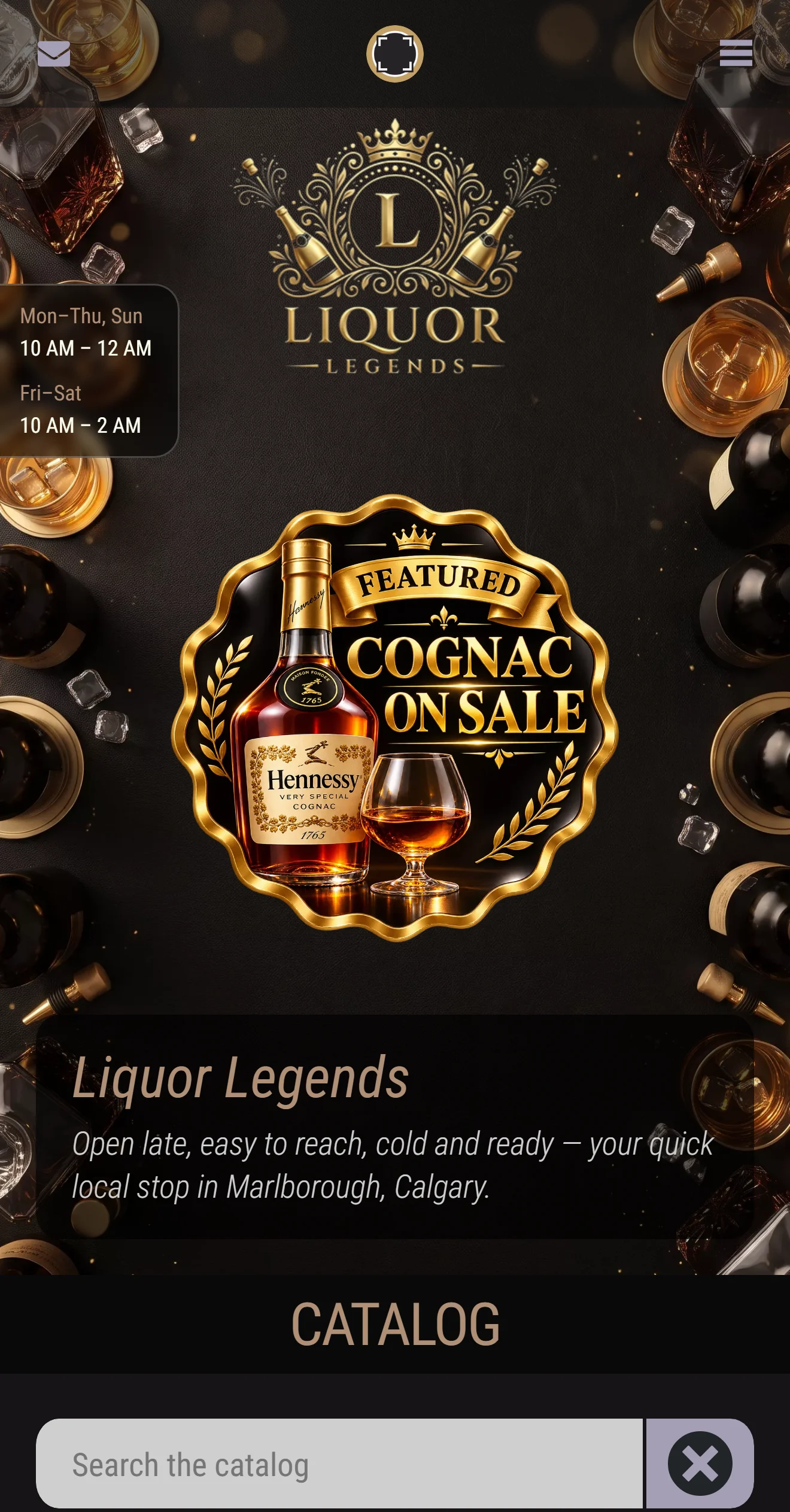
The Sticker prompt asks for a square 1024x1024 PNG on a fully transparent background, so the badge sits on your Space with no white box around it. The product is the hero, large and breaking out over the edge of the badge, and your Space's own theme colour goes into the prompt by itself, so the badge matches everything around it.
- Shape: a round seal, a ribbon or a starburst.
- Outline: white, your theme colour, or none.
- Label: auto, Featured, New or Sale.
- Product: realistic or illustrated.
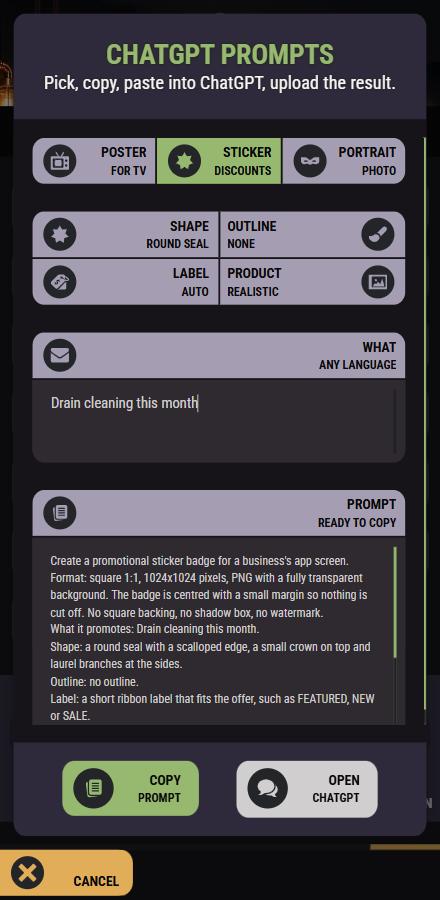
Upload the finished sticker in Daily Discounts, and it joins the offers on the front of your Space.
Portrait: you, from your own photo
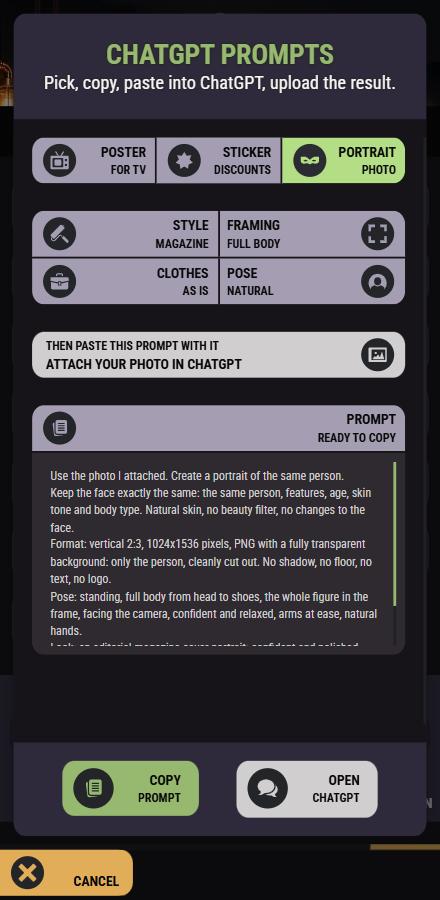
This one starts in ChatGPT: attach a photo of yourself, then paste the prompt with it. The prompt insists on the same person: the same face, features, age, skin tone and body type, natural skin and no beauty filter. ChatGPT changes the light, the pose and the clothes, not you.
- Style: magazine, business, warm, or on the job.
- Framing: full body or waist up.
- Clothes: as they are, smart, a suit, or your uniform.
- Pose: natural, arms crossed, or pointing.
The portrait always comes out vertical, 1024x1536, on a transparent background, so you stand over your Space's background picture instead of sitting in a box. Upload it in the Portrait slider.
Getting the most out of it
- One offer per picture. A TV poster gets a few seconds of attention and a sticker even less. Two offers on one picture means neither gets read.
- Name the product exactly. "Pepsi and bottled water, 2 for $5" gives ChatGPT far more to draw than "a drinks deal".
- Close but not quite? Just say so. Tell ChatGPT in plain words what to change: a bigger bottle, a darker background, a shorter headline. The prompt stays in the chat, so it keeps everything else.
- Read the headline before you upload. Picture tools still get a letter wrong now and then, and a typo on a TV by the till is seen by every customer.
- For the portrait, start with a clear photo. Your face in good light, looking at the camera. The better the photo you attach, the more the portrait looks like you.
Why a prompt builder at all
Because the hard part of a picture from ChatGPT isn't the drawing, it's the asking. Full HD, safe edges, a transparent background, one short headline, the same face: each of these is one line in a prompt, and every line you forget is one more round of "no, not like that". The builder writes those lines for you, so you start from a picture that already fits your Space, your TV and your offers.